MP4 to MP3 Converter
Convert an MP4 video to an MP3 file at 128, 192 or 320 kbps, right in your browser.
- Free
- No watermark
- No upload, runs on your device
How to convert MP4 to MP3
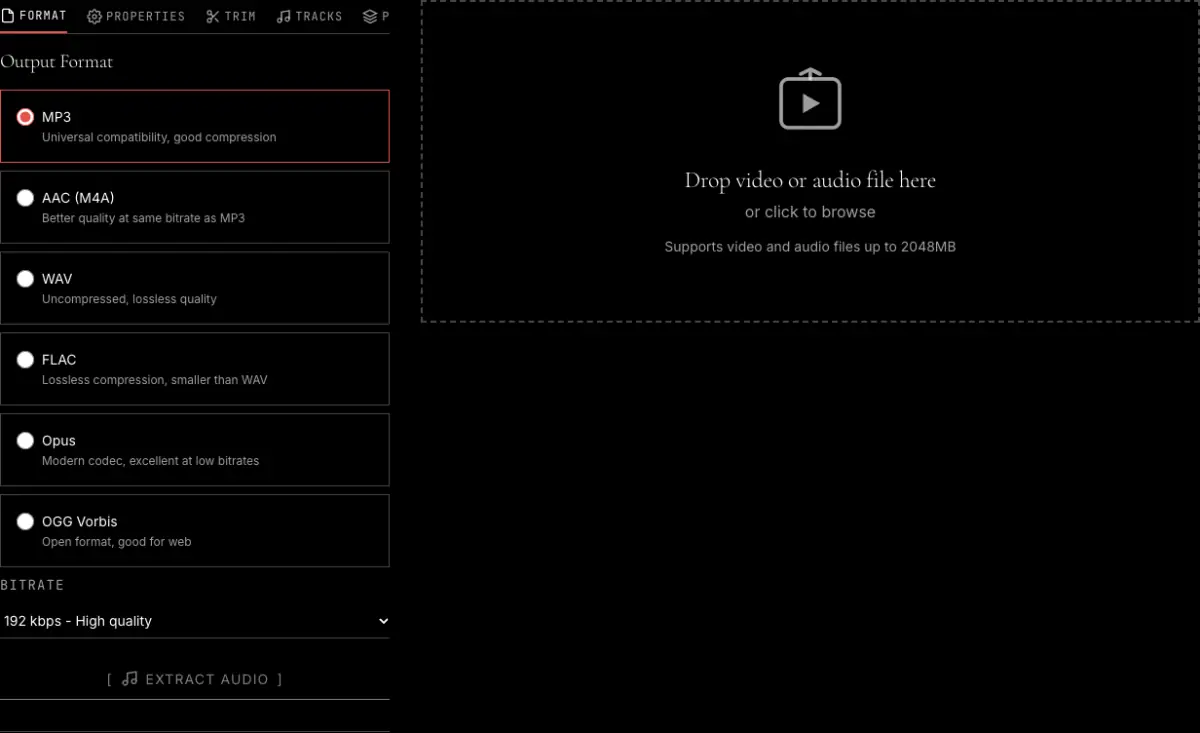
1 Drop your MP4 onto the converter
Drag the MP4 onto the drop area or tap it to pick the file. MP3 is already selected as the output. The file stays on your device.
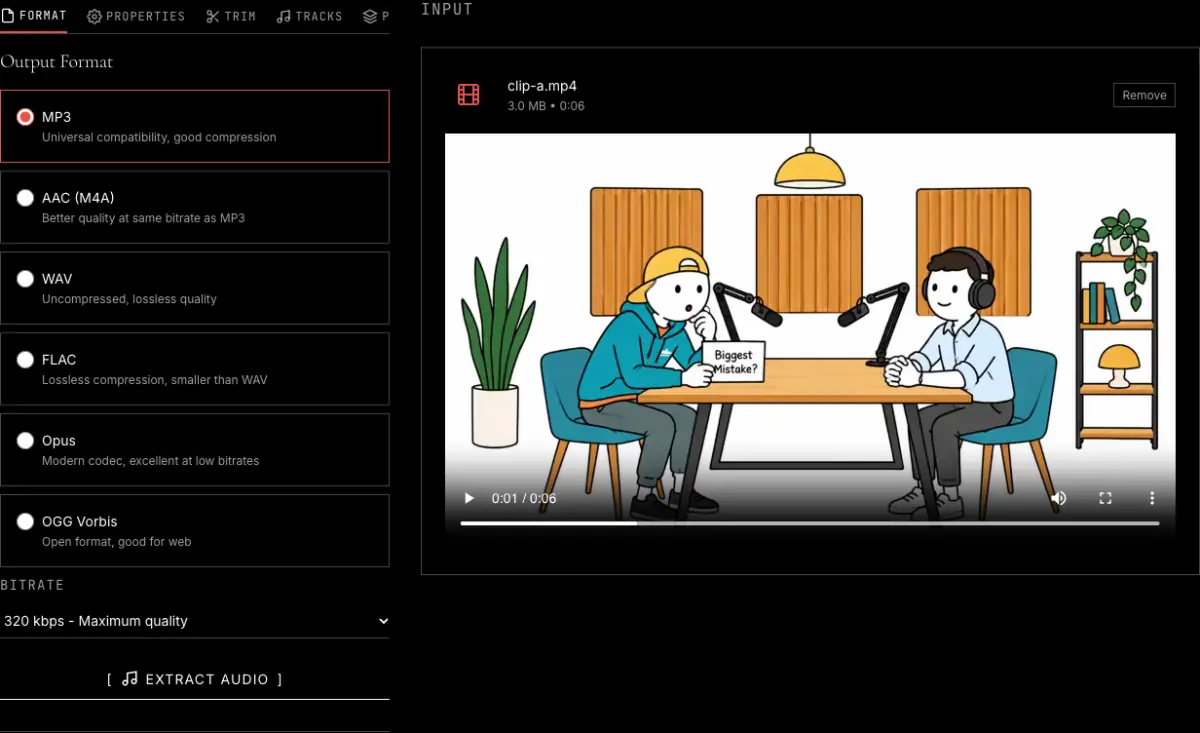
2 Choose the bitrate
Open the Bitrate menu under MP3. Pick 320 kbps for music you care about, 192 kbps for everyday listening, or 128 kbps for speech to keep the file small.
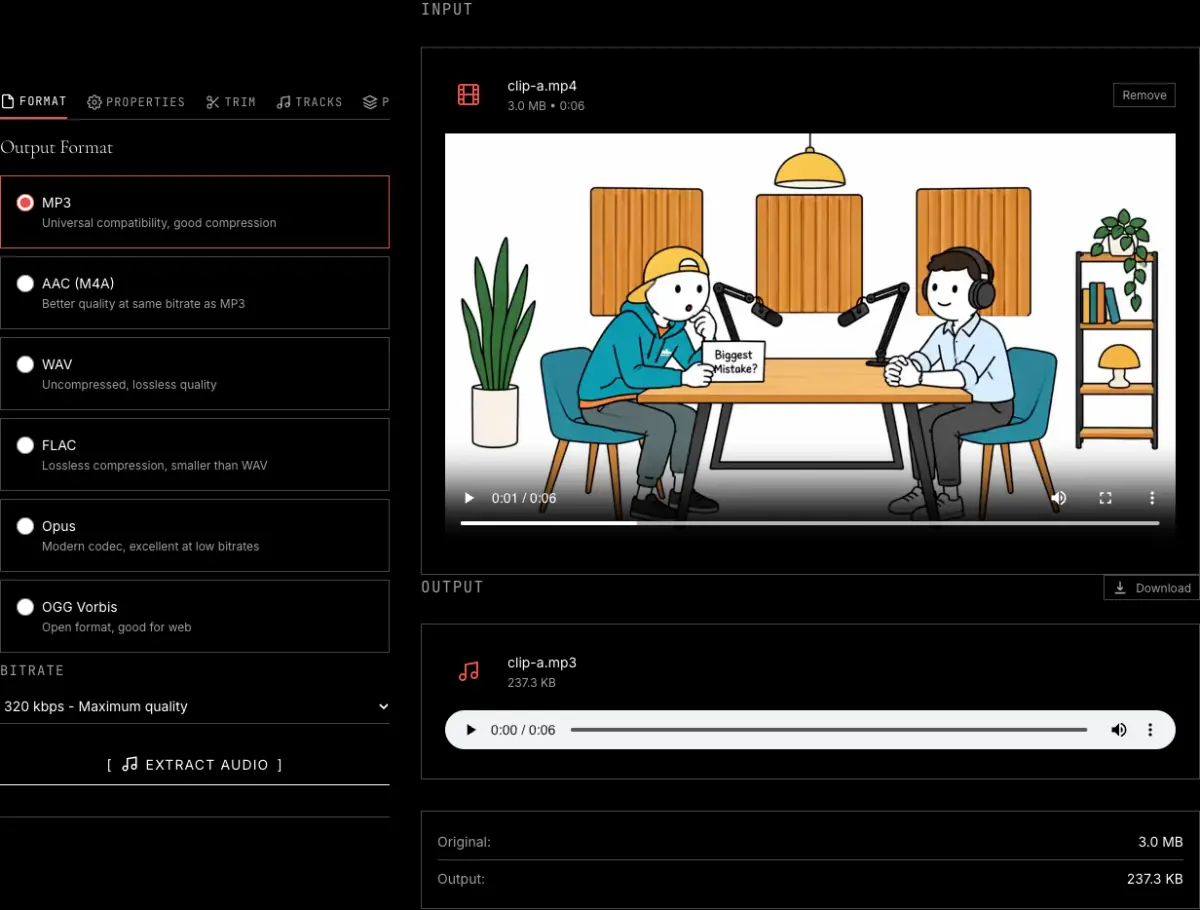
3 Convert and download
Press Extract Audio. When the MP3 is ready you can play it on the page, compare the sizes, and download it.
What the MP4 to MP3 converter does
The converter reads the audio track out of your MP4, decodes it, and encodes it once as MP3 at the bitrate you pick, from 64 kbps up to 320 kbps. It keeps the source sample rate unless you change it, and you can set 22.05, 44.1 or 48 kHz yourself. That is one generation of MP3 loss and no more. If the original audio was AAC at 128 kbps, an MP3 at 192 kbps keeps essentially every audible detail and plays on more devices.
Everything happens in your browser. No file uploads, no waiting for a server queue, no third party hearing your audio. For personal recordings and unreleased work, this matters.
| Setting | Value | Notes |
|---|---|---|
| Input container | MP4 (ISO/IEC 14496-12) | Covers H.264, H.265, AV1 video with AAC or other audio tracks. |
| Typical source audio codec | AAC LC | Standard in most MP4s from cameras, phones, and streaming. |
| Output format | MP3 (MPEG-1 Layer 3) | Broadest playback compatibility of any audio format. |
| Bitrate choices | 64, 128, 192, 256 or 320 kbps | 192 kbps is the default; 320 kbps is the MP3 maximum. |
| Sample rate | Original, 22.05, 44.1 or 48 kHz | 44.1 kHz is CD standard and the safe default. |
| Channel layout | Stereo preserved from source | Mono sources stay mono, or force mono yourself. |
- Accepts MP4 and also MOV, MKV, WebM, AVI and most other video files, up to 2 GB each, one file at a time.
- Saves an .mp3 file. If you need WAV, FLAC, AAC, Opus or OGG instead, pick it in the format list on the same tool.
- It does not fetch audio from a YouTube or other web link. You need the MP4 on your device.
- MP3 is lossy at every bitrate. For a lossless copy of the decoded sound, choose WAV or FLAC.
Frequently asked questions
How do I convert MP4 to MP3?
Drop the MP4 onto this page, leave MP3 selected, pick a bitrate, and press Extract Audio. The tool reads the audio track from the MP4, encodes it as MP3, and offers the result as a download. The whole conversion happens in your browser with no upload.
Can I convert MP4 to MP3 at 320 kbps?
Yes. Open the Bitrate menu under the MP3 format option and choose 320 kbps, the highest bitrate MP3 allows. It makes the largest file, roughly 2.4 MB per minute of audio, and is worth it for music you listen to closely. If the MP4 itself only carries 128 kbps AAC audio, 320 kbps cannot add detail that was never there, so 192 kbps will sound the same.
Which MP3 bitrate should I choose?
192 kbps suits most uses and is the default. 128 kbps is plenty for speech such as podcasts, lectures and audiobooks. 320 kbps is for music you care about. Bitrates below 96 kbps introduce audible artifacts on most music.
Can I convert MP4 to MP3 without losing quality?
MP3 is a lossy format, so there is always some quality reduction compared to the source. At 320 kbps that reduction is imperceptible to nearly all listeners. For a truly lossless copy, choose WAV or FLAC in the format list instead of MP3.
Is it legal to convert MP4 to MP3?
Converting your own recordings, public domain material, and content you are licensed to use is legal. Ripping audio from copyrighted MP4s that you do not have a license for, and redistributing it, violates copyright law in most jurisdictions. This tool does not make any content legal that was not legal before; it just performs the format conversion.
Why is my MP3 output shorter than the MP4?
Usually because the MP4 starts with a few seconds of silence or a black screen before audio begins, or the video track runs a little longer than the audio track. If precise length matters for synchronization, use the Trim tab to set an explicit start and end time before converting.
Will the MP3 play on iPhone and iTunes?
Yes. MP3 is supported on iOS, iTunes, Apple Music, and every Android device. If you specifically want an Apple-native file, the MP4 to M4A converter produces AAC audio in the container Apple apps prefer.
Related tools
Extract audio from video
All six output formats, including WAV and FLAC, from any video file.
Video trimmer
Cut the MP4 down to the part you need before converting it.
MOV to MP3 converter
Same workflow for iPhone and QuickTime MOV recordings.
MP4 to M4A converter
AAC audio in the container Apple apps prefer.
Transcribe video to text
Get the words instead of the sound, as text or SRT subtitles.