Batch Video Converter
Convert up to five videos to the same MP4 size, frame rate and loudness in one go.
- Free
- No watermark
- No upload, runs on your device
How to convert a batch of videos to one format
1 Pick the canvas
Choose Vertical 9:16 for TikTok, Reels and Shorts, Square 1:1 for an Instagram post, or Widescreen 16:9 for YouTube and LinkedIn.
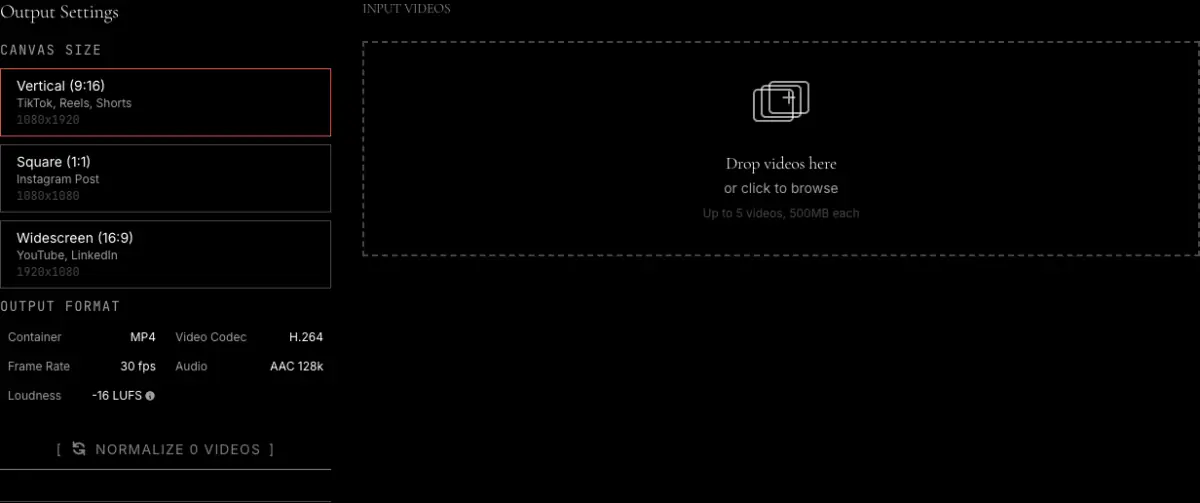
2 Add up to five videos
Drop the files onto the drop area or tap it to choose them. Each file can be up to 500 MB, and none of them is uploaded.
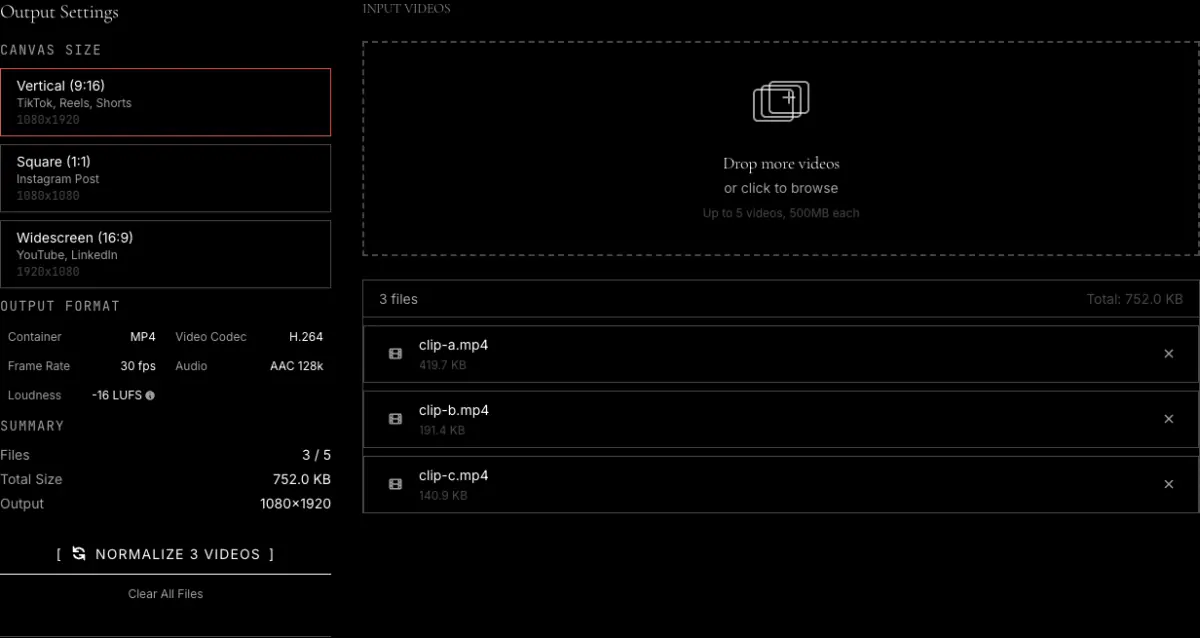
3 Convert and download
Press the Normalize button. The videos are converted one at a time, then each one gets its own download button.
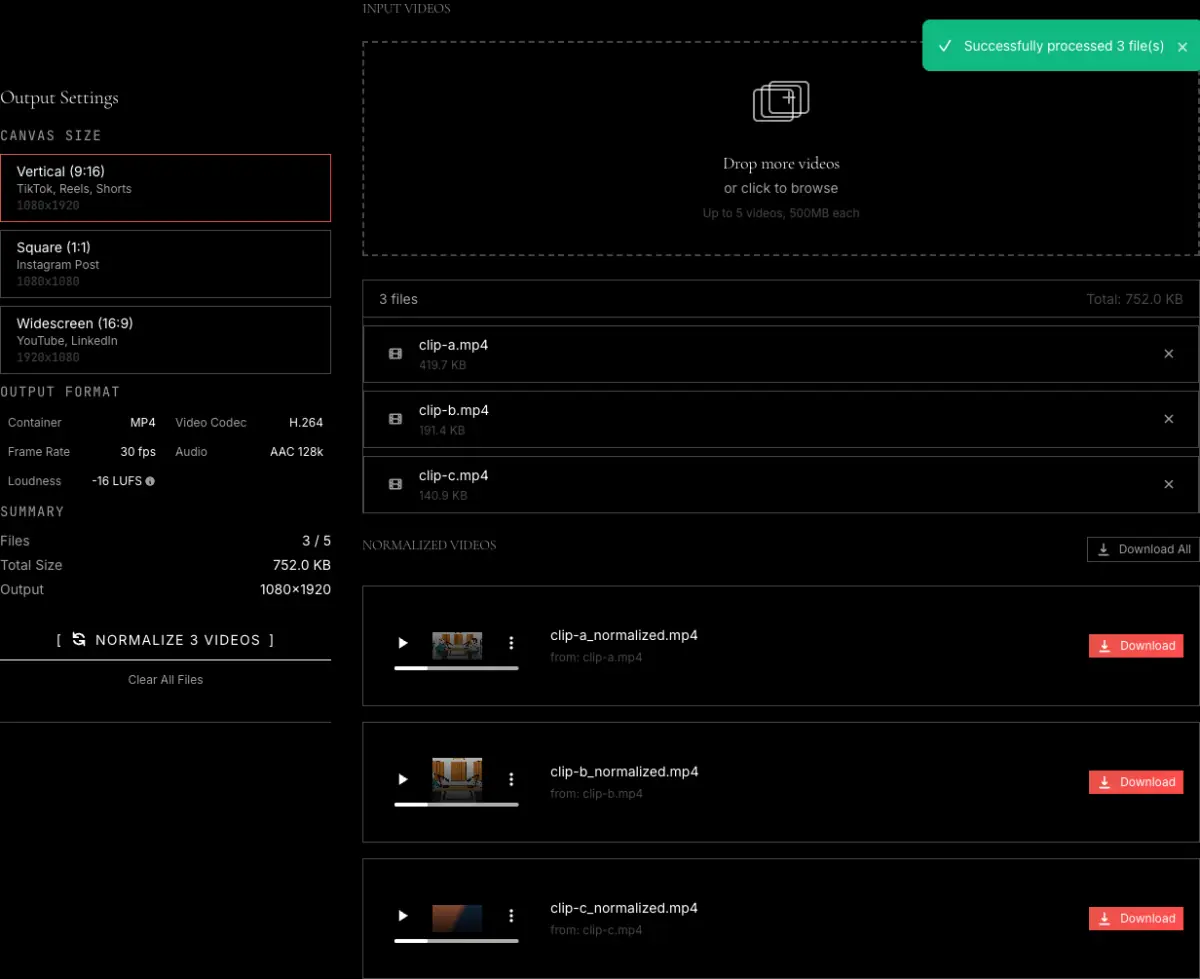
What the batch converter does, and its limits
Clips from different phones, cameras and screen recorders rarely match. One is 4K at 60 frames per second, another is a vertical phone video, a third is much quieter than the rest. This tool puts every file through the same recipe so they line up when you post them side by side or drop them into an editor.
Same canvas
Each video is scaled to fit the canvas you pick, 1080 by 1920 (9:16), 1080 by 1080 (1:1) or 1920 by 1080 (16:9), with black bars filling any leftover space so nothing is stretched or cut off.
Same format and frame rate
Every output is an MP4 with H.264 video at 30 frames per second and AAC audio at 128 kbps. The video uses a fast preset at CRF 23, which favors speed over the smallest possible file.
Even loudness
The audio of every file is brought to -16 LUFS, the level podcasts and streaming apps use, and loud peaks are kept below -1.5 dB so nothing distorts.
Limits
Up to five videos per batch and 500 MB per file, processed one after another to stay within browser memory. It only takes video files, and it always reframes them to the canvas. To level the volume of an audio file on its own, use the loudness normalization option in the extract audio from video tool.
Frequently asked questions
Can I convert several videos to the same size at once?
Yes. Add up to five videos, pick a canvas, and every file comes out at that exact size, as an MP4 at 30 frames per second.
Does it make the volume the same across videos?
Yes. Every file is normalized to -16 LUFS integrated loudness with a -1.5 dB true peak limit, so a quiet phone clip and a loud screen recording end up at the same level.
Will my videos be cropped or stretched?
Neither. Each video is scaled down until it fits inside the canvas and the remaining space is filled with black bars. To fill the frame instead, crop each clip first with the video cropper.
Can I normalize the audio without changing the picture?
Not with this tool, since it always reframes to a canvas. For audio on its own, the extract audio from video tool has a loudness normalization option and accepts audio files as well as video.
Are my videos uploaded?
No. The conversion runs in your browser, one file at a time, and the files never leave your device.
Related tools
Resize video
One video, more sizes to choose from, including custom width and height.
Compress video
Shrink the converted files to fit an upload or email limit.
Video cropper
Fill the frame by cropping instead of adding black bars.
Video trimmer
Cut each clip to length before or after converting.