Extract Audio from Video
Pull the sound out of any video and save it as MP3, WAV, FLAC, AAC, Opus or OGG, right in your browser.
- Free
- No watermark
- No upload, runs on your device
How to extract audio from a video
1 Drop in your video
Drag a video onto the drop area or tap it to pick a file. MP4, MOV, MKV, WebM, AVI and most other formats work, up to 2 GB. The file is read on your device and never uploaded.
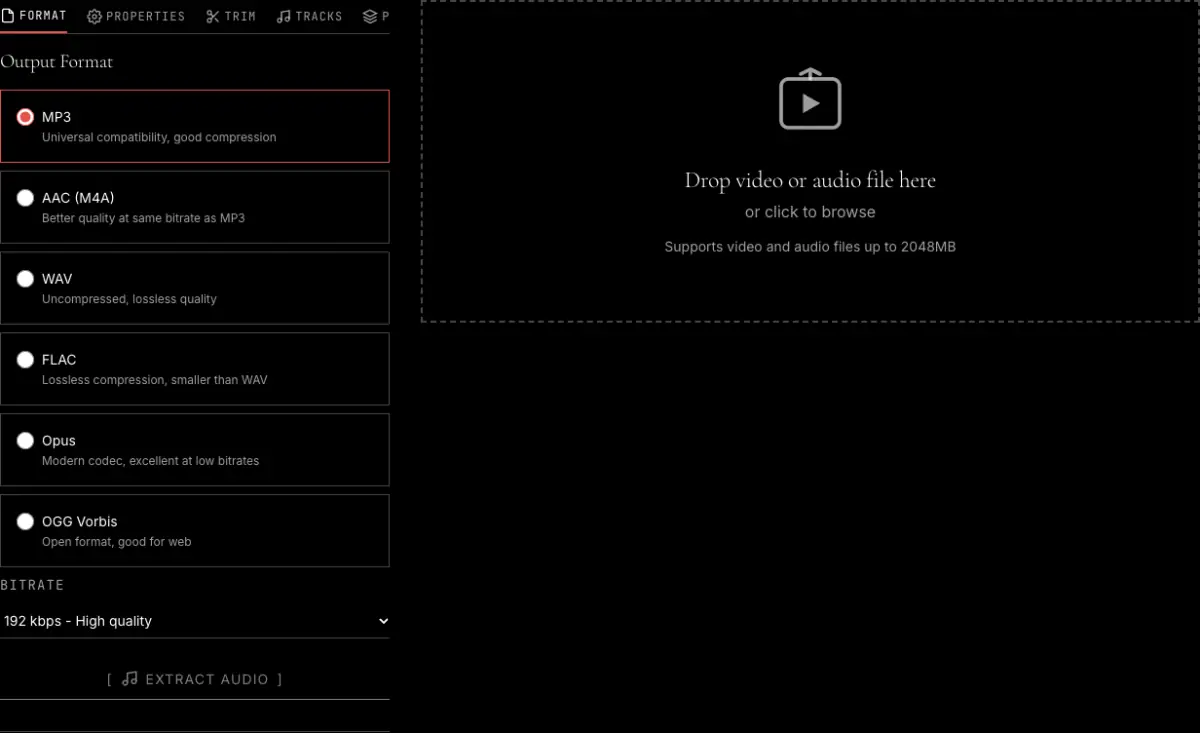
2 Choose the audio format
Pick MP3 for something that plays everywhere, WAV or FLAC to keep every bit of the decoded sound, or AAC, Opus or OGG. For MP3 and the other compressed formats, set the bitrate. The other tabs let you trim a range, change the sample rate, pick a track or apply a preset.
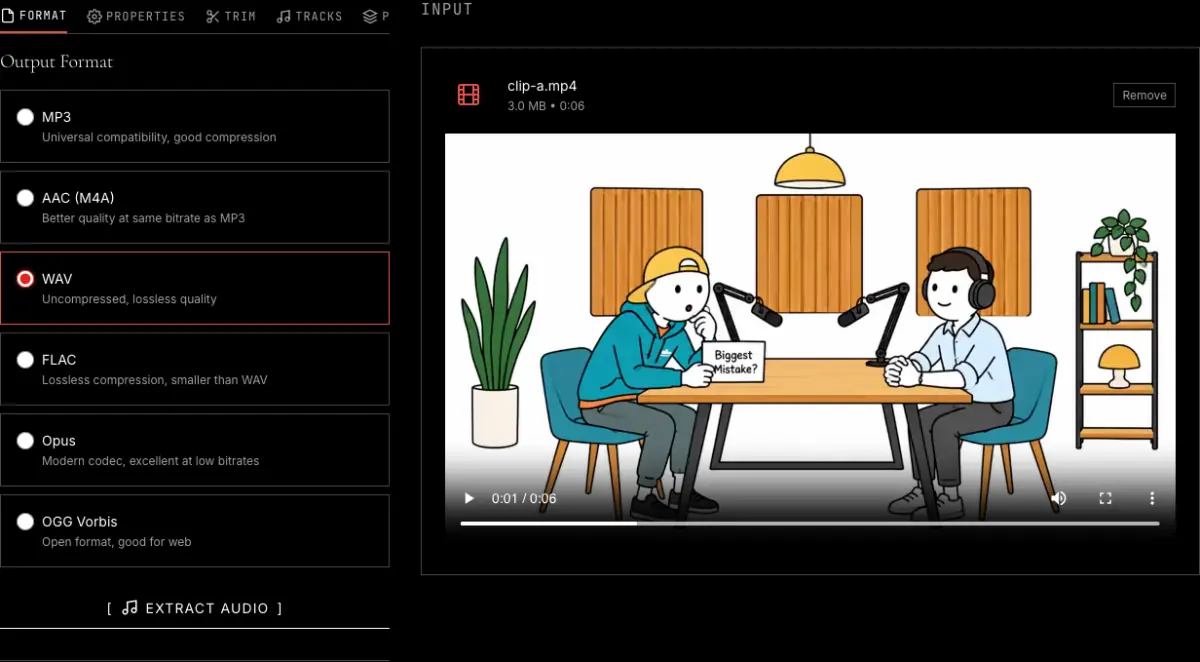
3 Extract and download
Press Extract Audio. When it finishes you can play the result in the page, compare the file sizes, and download it.
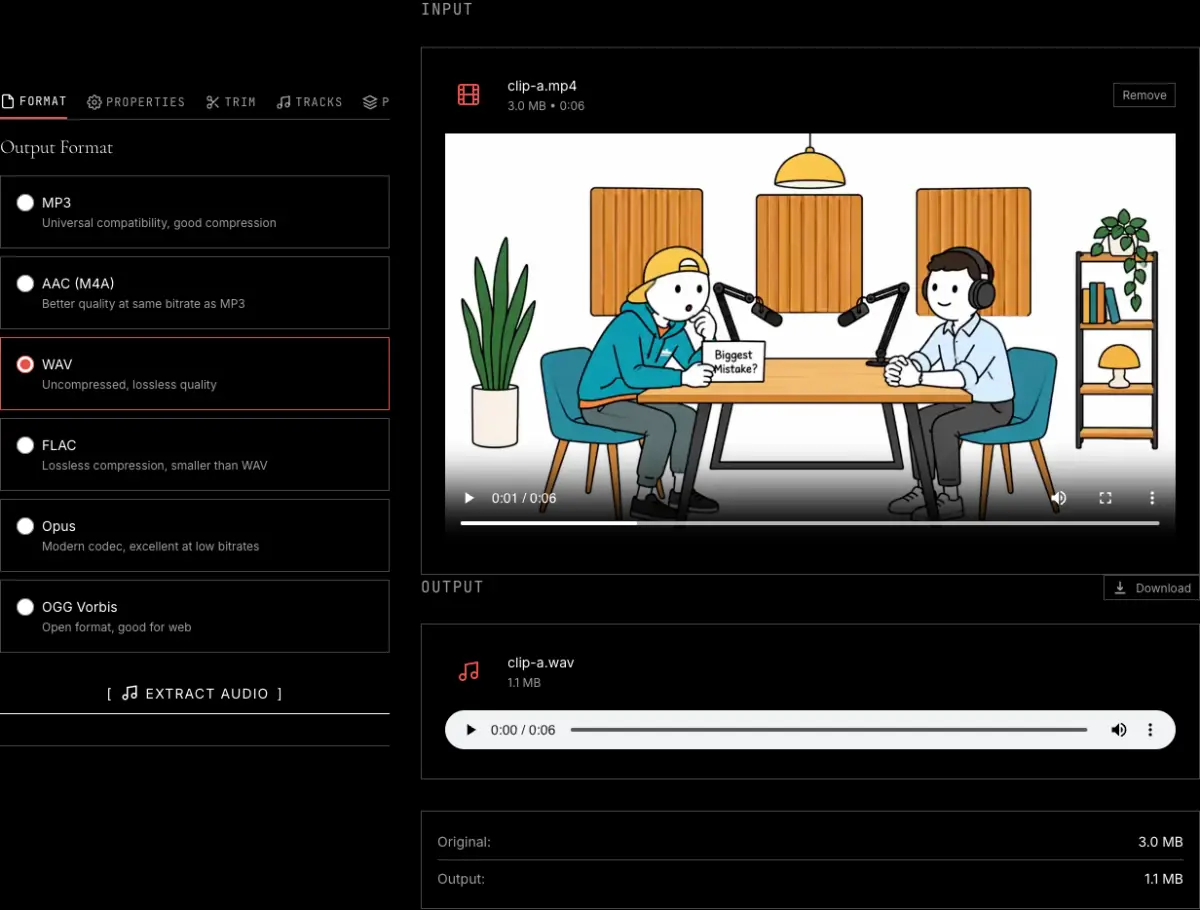
What the audio extractor does, and what it does not
The tool reads the audio track out of a video file, decodes it, and writes it in the format you choose. Lossless formats get the decoded sound as it is. Compressed formats get one encoding pass at the bitrate you set, from 64 to 320 kbps. Besides the format, you can set the sample rate, switch between mono and stereo, change the volume, add fades, cut a time range, choose a track in multi-track files, and even out the loudness.
Accepted files
MP4, MOV, MKV, WebM, AVI, FLV, M4V, WMV, 3GP and OGG video, plus audio files such as MP3, WAV, FLAC and AAC if you only want to convert them. If it plays in a media player, the tool can most likely pull the sound out of it. Files up to 2 GB, one at a time.
Output formats
MP3 for universal playback, AAC in an .m4a file for Apple devices, WAV for editing, FLAC for lossless archiving at roughly half the size of WAV, Opus for speech at low bitrates, and OGG Vorbis for web and game projects.
Presets
Speech gives a 16 kHz mono WAV for transcription. Podcast gives a 48 kHz mono MP3 at 128 kbps with even loudness. Music keeps the original sample rate and channels and saves lossless FLAC.
What it does not do
It does not download audio from a YouTube or other web link; you need the video file on your device. It does not separate vocals from music, and it does not process several files in one batch.
If you already know you want MP3 from an MP4, the MP4 to MP3 converter opens with MP3 selected. There are also versions set up for MOV to MP3, MKV to MP3, MP4 to AAC and MP4 to M4A.
Frequently asked questions
How do I extract audio from a video?
Drop the video on this page, choose a format such as MP3 or WAV, and press Extract Audio. The audio track is decoded and saved in the format you picked, then you download it. Nothing is uploaded, so it works the same for a private recording as for a public clip.
What audio formats can I extract to?
Six: MP3, WAV, FLAC, AAC (saved as .m4a), OGG Vorbis and Opus. MP3 plays everywhere, WAV is uncompressed, FLAC is lossless but smaller than WAV, AAC suits Apple devices, OGG is the open alternative to MP3, and Opus sounds clear for speech at low bitrates.
Will the extracted audio lose quality?
If you choose WAV or FLAC, you get a lossless capture of the decoded audio. The track inside the video is usually lossy AAC, so the output matches that decoded signal, not a studio master. Lossy formats like MP3 and AAC discard some data to reduce file size, but at 256 to 320 kbps the difference is imperceptible for most listeners.
Can I extract just a portion of the audio?
Yes. Open the Trim tab and enter start and end times in M:SS or H:MM:SS. Only the audio between those timestamps is extracted. You can add a fade in and fade out from the Properties tab so the clip does not start or stop abruptly.
What is the Speech preset for?
It saves a 16 kHz, mono, loudness-normalized WAV, which is the input that Whisper and most speech recognition tools expect. If what you really want is the text, the transcribe video to text tool does the transcription for you on your device.
Can I pick which audio track to extract?
Yes. When a file has more than one audio track, for example an MKV with two languages or a screen recording with separate microphone and system sound, the Tracks tab lists them and you choose one.
Do I need to upload my video?
No. The extraction runs in your browser on your own device and the file is never sent to a server. The drop area accepts files up to 2 GB.
Related tools
MP4 to MP3 converter
The same tool set up for MP3, with the bitrate choice explained.
Video trimmer
Cut the video to the part you want before or after taking the sound out.
Transcribe video to text
Turn the speech in a video into text and SRT subtitles on your device.
Add audio effects to video
Equalizer, noise reduction, speed and pitch, applied in the browser.
Mix or replace audio in a video
Swap the soundtrack, duck music under a voice, or crossfade two tracks.
Guide: extracting audio from video
Which format to pick and what happens to the quality.