Burn Subtitles into Video
Burn an SRT, ASS or VTT file into a video, add it as a track viewers can switch off, or extract and convert subtitles.
- Free
- No watermark
- No upload, runs on your device
How to burn subtitles into a video
1 Add the video and the subtitle file
Drop the video, then add your SRT, ASS or VTT file on the Source tab. Both stay on your device.
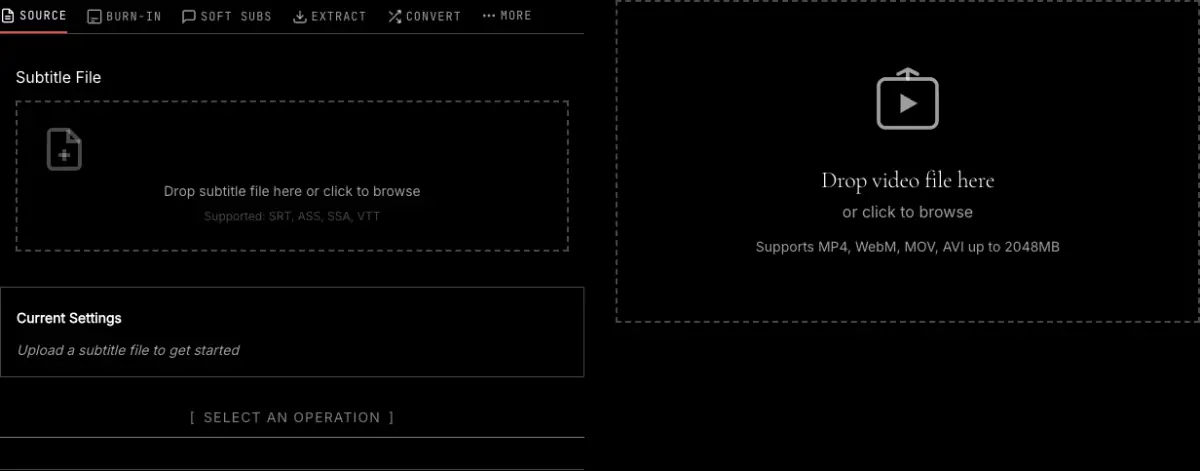
2 Choose what to do with them
Burn-In draws the subtitles onto every frame so they always show. Soft Subs adds them as a track that viewers can turn on and off. Use Sync if the subtitles run early or late.
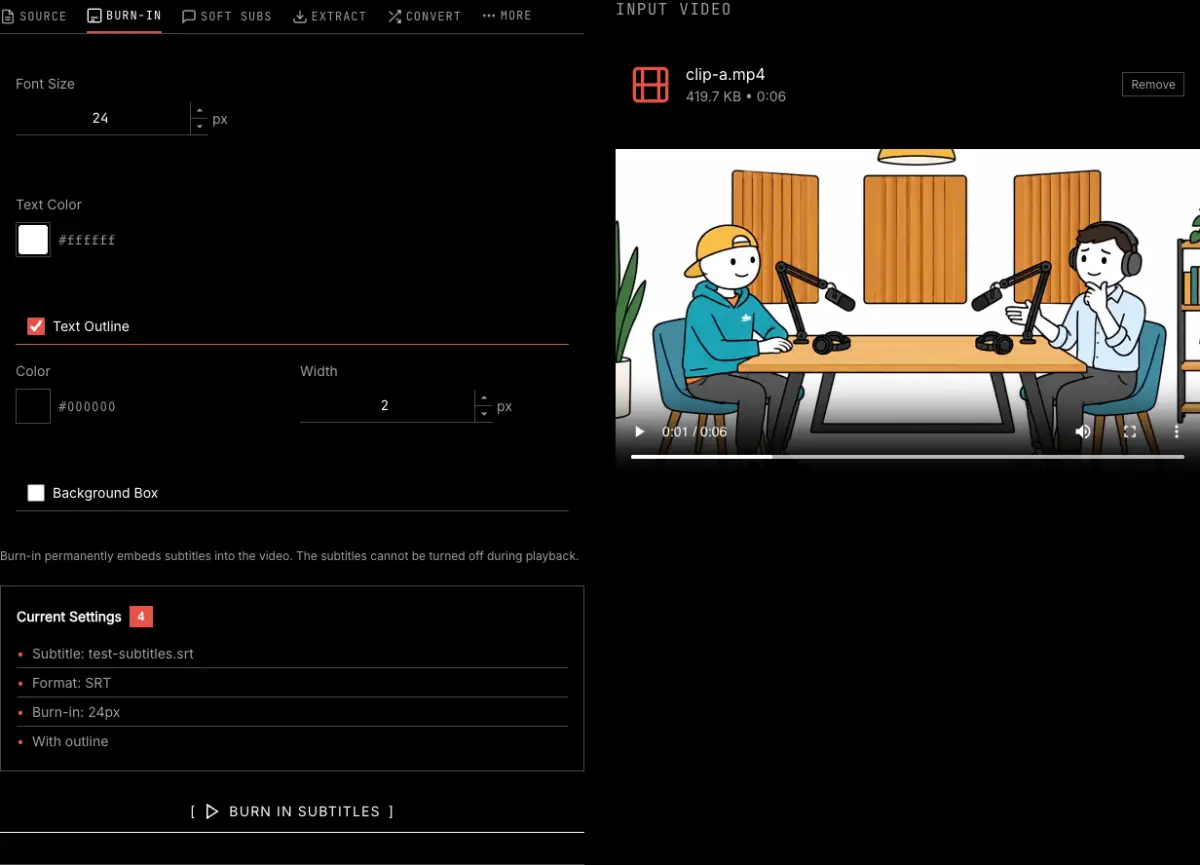
3 Process and download
Press the button at the bottom of the panel, such as Burn In Subtitles, then download the new video or the extracted or converted subtitle file.
About Subtitle Files
Burn-In vs Soft Subtitles
Burn-in permanently embeds subtitles in the video (always visible). Soft subtitles add a separate track that viewers can enable/disable.
Supported Formats
SRT (SubRip) - Simple, widely supported. ASS (Advanced) - Supports styling and positioning. VTT (WebVTT) - Standard for web video.
Sync Adjustment
If subtitles appear too early or late, use the sync offset to adjust timing. Positive delay makes subtitles appear later.
Frequently asked questions
What is the difference between burned-in and soft subtitles?
Burned-in subtitles are drawn onto the video frames, so they show on every player and cannot be turned off. Soft subtitles are a separate track inside the file that viewers switch on and off, and that some apps and social platforms ignore.
Which subtitle formats can I use?
SRT, the plain format almost everything reads; ASS, which carries fonts, colors and positions; and VTT, the format for web video. The Convert tab turns one into another.
My subtitles are out of sync. Can I fix that?
Yes. The Sync tab shifts every subtitle by the same amount. A positive delay makes them appear later, a negative one earlier.
I do not have a subtitle file yet. Where do I get one?
Generate one from the speech in the video with the transcribe video to text tool, which downloads SRT and VTT, or use the auto caption generator to create and style captions in one go.
Is my video uploaded?
No. Burning, extracting and converting all run in your browser on your own device.
Related tools
Auto caption generator
Generate captions from the speech and burn them in, no subtitle file needed.
Transcribe video to text
Make an SRT or VTT file from the audio first.
Add text to video
Titles and labels with your own font, color and timing.
Add animated text to video
Scrolling credits, typing and fade effects.